
Depending on the configuration you choose, the Events feature lets you activate several automated communications to inform your participants of the status of their registration: validated, cancelled or pending payment. You can also send them a reminder a few days before the event, with the information they need to attend.
Activity communications work the same way as event communications. Activities are, however, only available with the Premium plan.
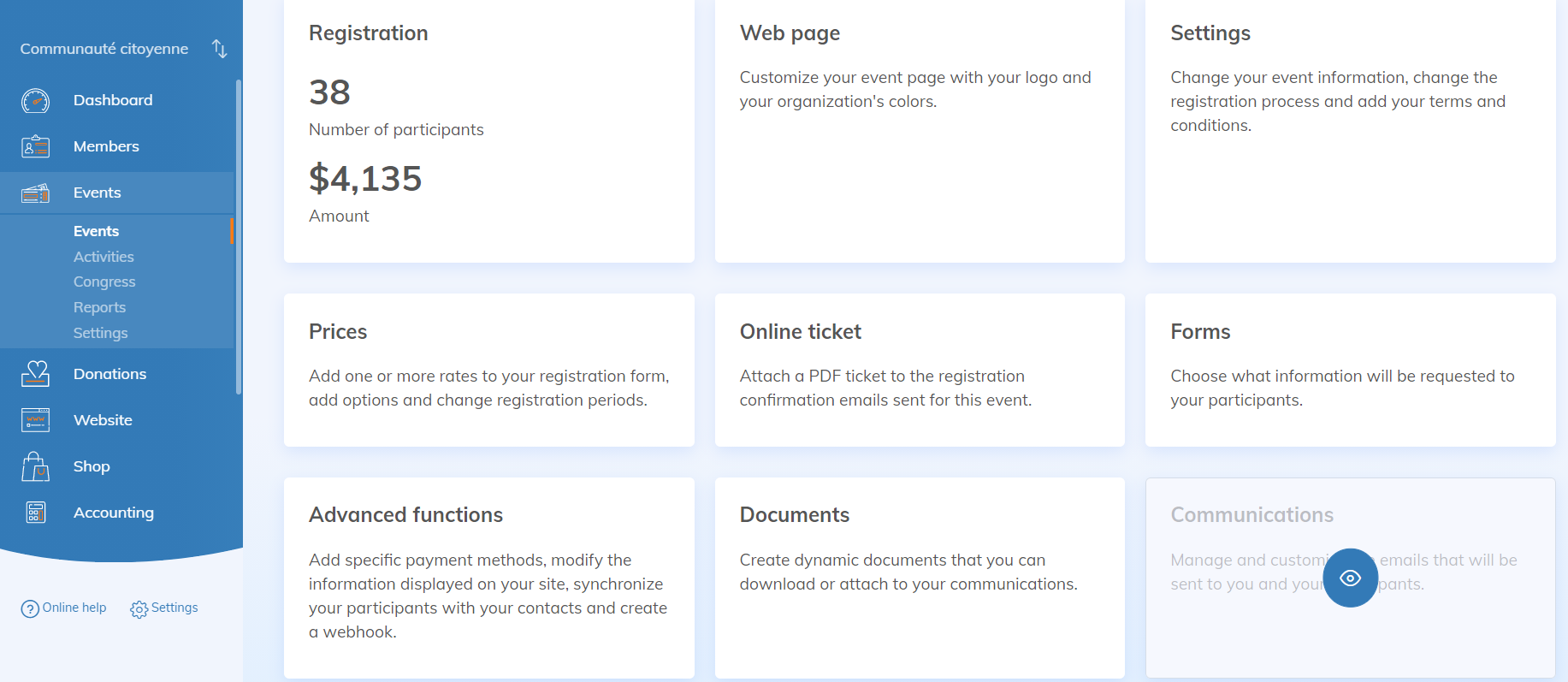
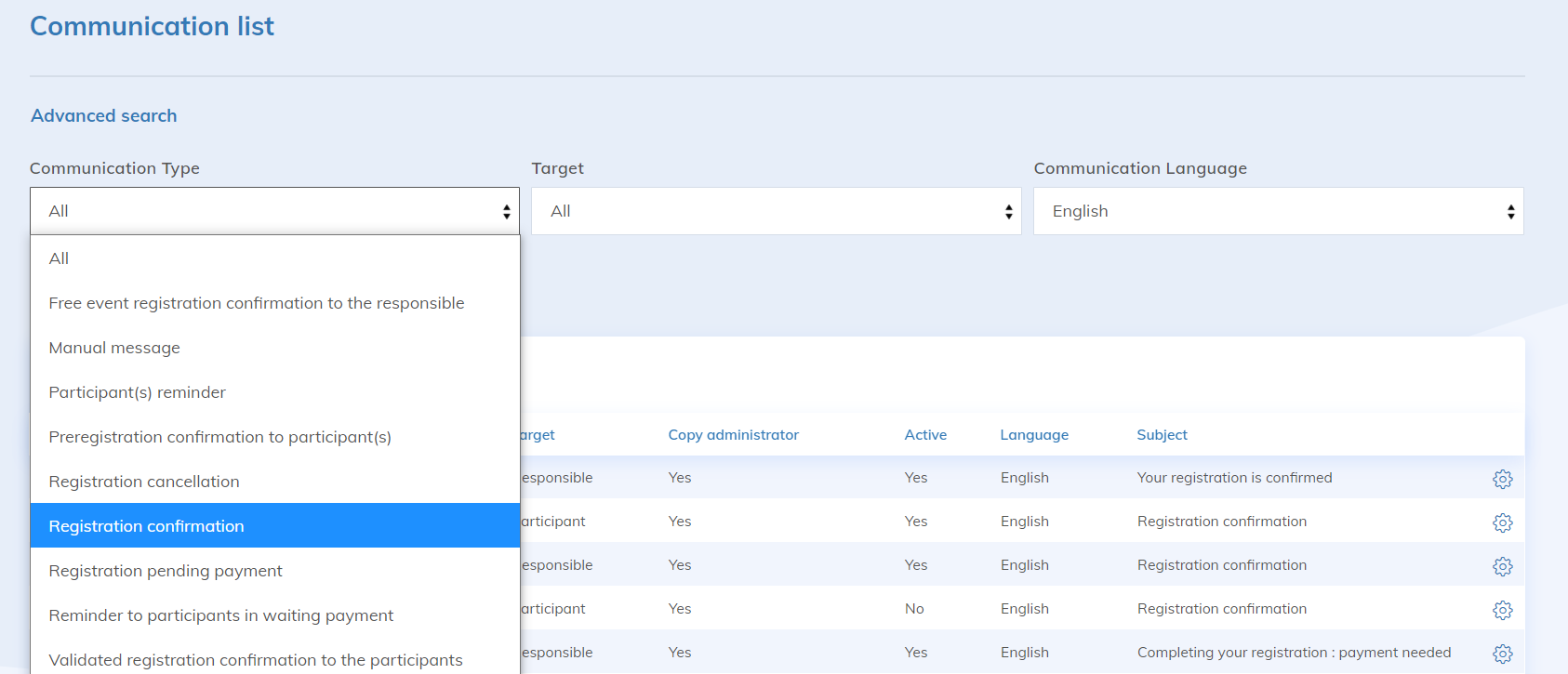
Once you have defined the registration process (with or without the Registration Manager mode) and the pricing, activate the automated communications you need. The list of communications is in the Communications menu of your event.
If the Registration Manager mode is not activated, participant number 1 is, by default, the recipient identified as the person responsible in the communications.
In this article:
- Communications for free rates
- Communications for paid rates
- Registration cancellation
- Registration reminders
- Manual message
- Use keywords
Communications for free rates
If one or more of your rates are free, the following communications will be useful.
Registration confirmation
This communication sends an email to all participants, including additional participants (if the registration form for additional participants contains the email field).
Invoice attached: none
Free event registration confirmation to the responsible
To inform only the person responsible for the registration, activate this communication instead.
Invoice attached: none
Communications for paid rates
If your event includes one or more paid rates, the following communications will be useful.
Validated registration confirmation to the responsible
This communication sends an email to the person responsible for the registration when the registration changes to the Validated status. You can insert the paid invoice in it.
Recommended invoice as attachment: paid invoice
Registration pending payment
This communication sends an email to the person responsible for the registration when the registration has the Pending payment status. You can insert the invoice to be paid in it and remind them of the information needed to pay.
Recommended invoice as attachment: invoice to be paid
Registration confirmation
This communication sends an email to all participants when they register. Use it, for example, to confirm the registration without mentioning billing information.
If the person responsible for the registration attends the event, they also receive this communication: avoid repeating the text of the communication sent to the person responsible.
Invoice attached: none
Validated registration confirmation to the participant(s)
This communication sends an email to all participants when a registration changes from the Pending payment status to the Validated status. Activate it only to inform participants of their registration once payment has been received.
Recommended invoice as attachment: none
Registration cancellation
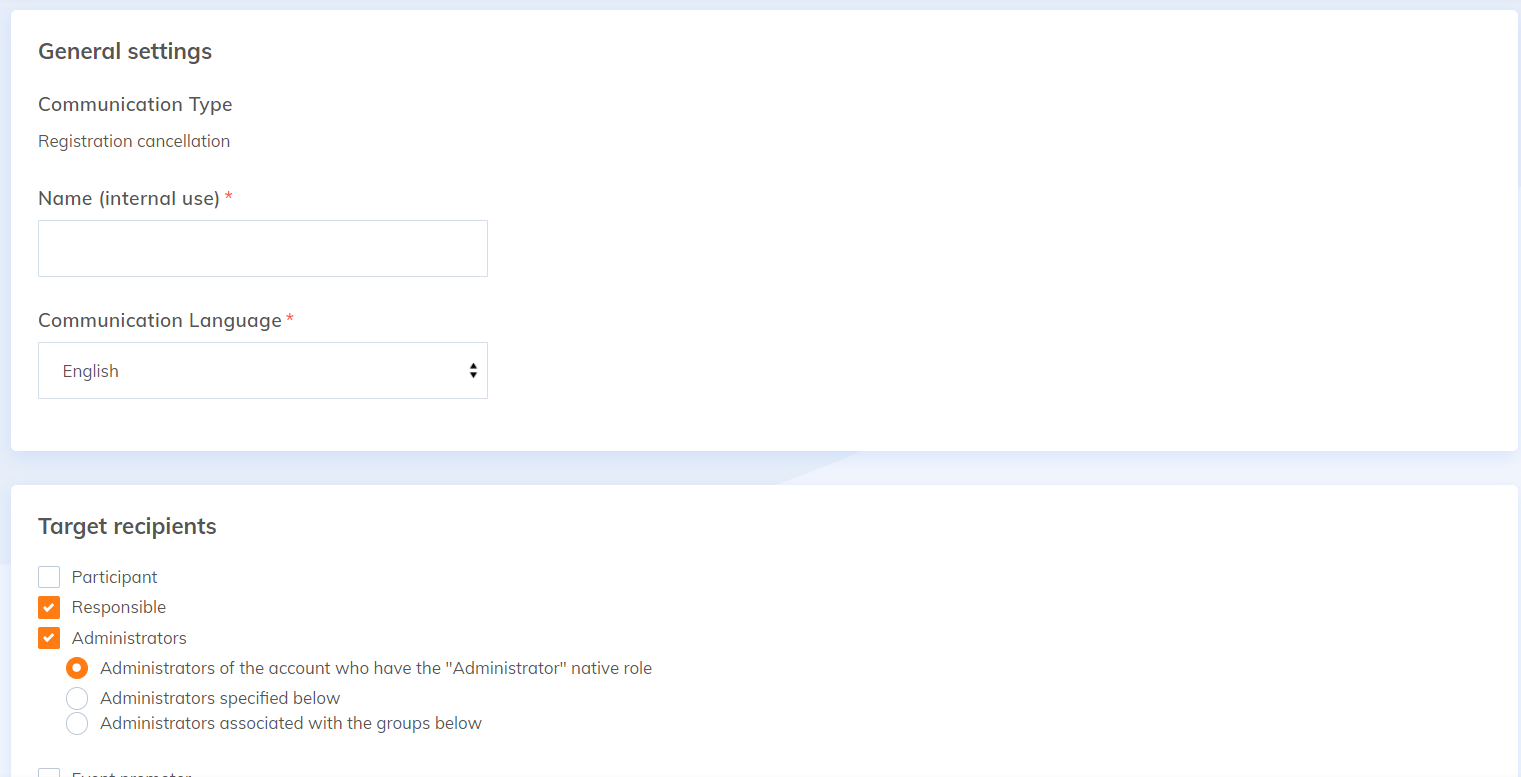
This communication sends an email when the status of a registration changes to Cancelled. Choose the target of this email: responsible, participant, administrators, event promoter or specific target.
Recommended invoice as attachment: cancelled invoice
Registration reminders
Participant(s) reminder
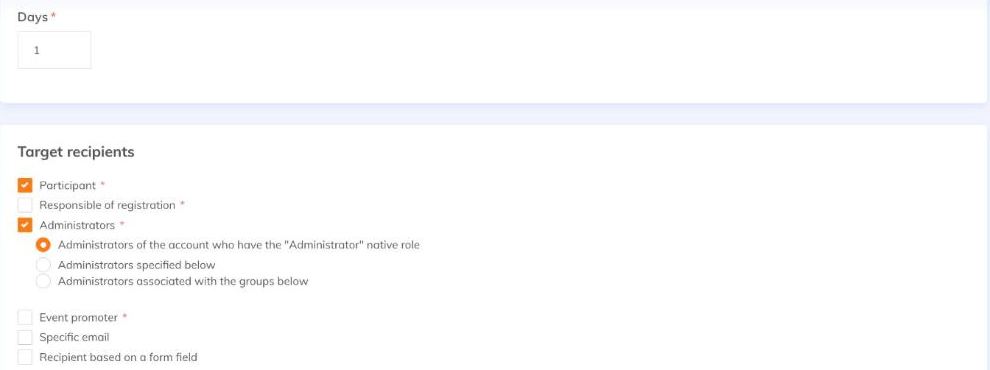
This communication sends an email to participants a few days before the event date. Its settings determine how many days before the event the email is sent.
The number of days is calculated as follows:
- 1 day: the communication is sent early in the morning, the day before the start date of the event (D-1).
- 0 days: the communication is sent early in the morning, on the day of the event.
- 4 days: the communication is sent early in the morning, 4 days before the start date of the event (D-4).
Post-event reminders are calculated from the end date of the event. Example for an event taking place on October 23:
- Pre-event reminder at D-1: sent early in the morning on October 22.
- Pre-event reminder at D-4: sent early in the morning on October 19.
- Post-event reminder at D+4: sent early in the morning on October 27.
Invoice attached: none
- Registrations covered: only registrations with the Validated status receive this reminder, including free registrations. Registrations with the Waiting for payment status do not receive it.
- Single send: the reminder is sent only once, on the scheduled date. A registration validated after that date does not receive it.
- Target recipients: check Participant to send the reminder to each validated participant who has an email address, Responsible of registration to send it only to the person who made the registration, or both. Other possible recipients are described in Editing an automatic communication.
To share a video conference link only with people who have paid, add it to this reminder. Before the sending date, confirm cheque or bank transfer payments, which remain Waiting for payment until their receipt is confirmed in the back office. Send the information separately to people who pay after the sending date.
Reminder to participants in waiting payment
This communication sends an email to participants whose registration is awaiting payment. Its settings determine how many days after the participant's registration it is sent.
Recommended invoice as attachment: invoice to be paid
Manual message
Available with the Premium plan only.
The Manual message communication type sends a personalized message on demand, from the list of registrations for an event or from the editing or viewing of a registration. Once the communication is created with this type, click Send a communication and select it.
Recommended attachment: optional
Use keywords
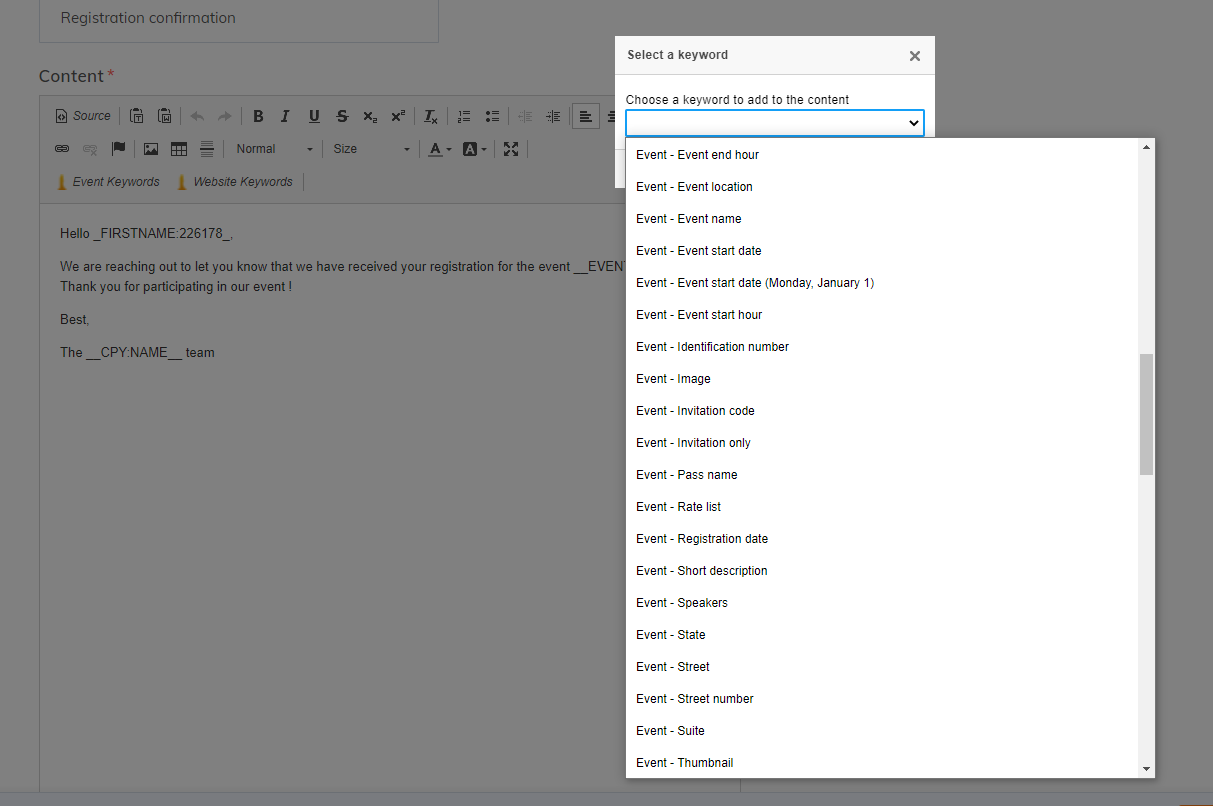
Use as many keywords as possible in your communications. For example, instead of typing the name of your event in the text, insert the event name keyword, available in the Event Keywords list.
When you duplicate an event, its communications are then already configured and adapted to the new event.
For more tips on configuring your communications, see the Checklist article.