
The active languages of your account are used for navigation on the platform, for your website and for content creation. You can add or remove languages at any time.
In this article:
Add a language
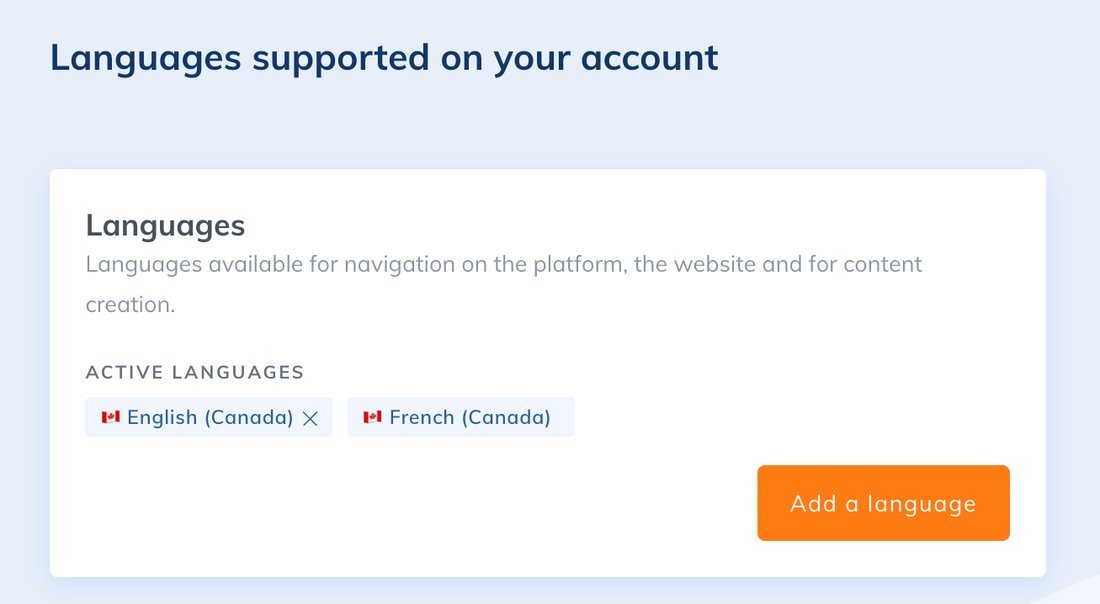
- Go to Settings > Languages. The Languages supported on your account screen shows your Active languages.
- Click Add a language.
- In the Language list, choose the language to activate.
- Click Add language.
Language activation takes a few minutes.
Remove a language
Under Settings > Languages, click the X to the right of the language to remove.
The default language of your account has no X: it cannot be removed.
Choose the default language
The language assigned by default to new users is set in Settings > Your organization > Language, Date & Currency, in the Users default language field. See Edit your organization's information and logo.
Use the languages of your account
- Administration: change the interface language and enter your content in each language. See Use several languages in the administration.
- Website: choose the languages of your website and display the language selector. See Create a bilingual or multilingual website.
- Translations: translate the labels of your forms, events and communications. See Manage your account translations.
Displaying your website in several languages is available starting with the Plus plan.