
The Sales by Account report provides a detailed view of the amounts collected for each account configured in Yapla. It displays, for each account, the description of sales, associated amounts, related clients, payment methods used, and more.
To download the report, go to Accounting > Report > Sales by Accounting Item.
Configure the desired filters: transaction date, payment method, accounting item, features, and payment date. Leave the filters empty to retrieve everything. Click on Export at the bottom.
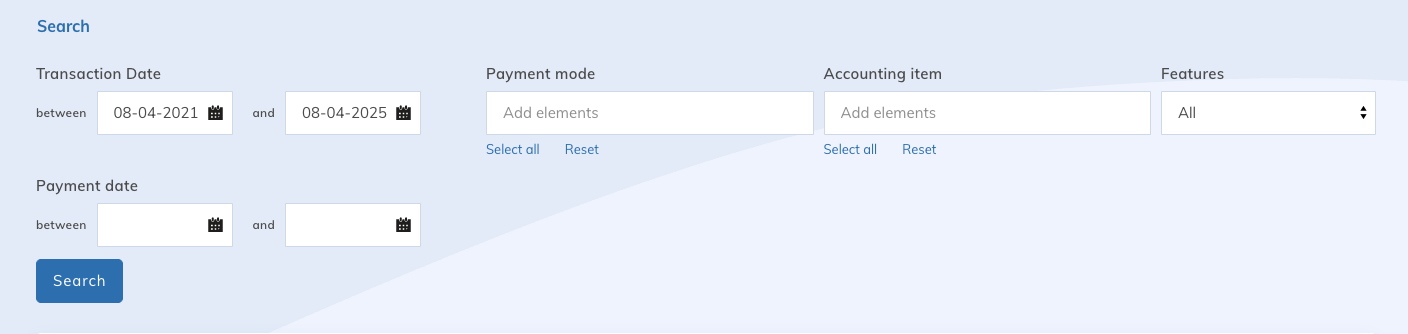
Here’s a description of the columns included in the export file:
| Column | Description |
|---|---|
| Account | Account number associated with the transaction (e.g., 756000 for memberships) |
| Account Name | Descriptive name of the account (e.g., Memberships, Donations, Registrations) |
| Project | Project associated with the transaction |
| Invoice Number | Unique invoice number linked to the transaction |
| Client | Name of the client |
| Organization | Client’s organization |
| Payment Method | Method used for the payment (e.g., Check, Credit Card, etc.) |
| Payment Number | Payment identification number |
| Transaction Date | Date and time the transaction was recorded in the accounting records |
| Payment Date | Date and time the payment was finalized |
| Amount Paid | Amount paid for the transaction (usually excluding taxes if applicable) |
| Description | Description of the product or service purchased (e.g., “Type D Membership,” “Membership with validation”) |
| Rate Name | Rate applied during the transaction (often similar to the description) and the name of the discount code if applicable |