
You can have as many users as you need on your account, but each simultaneous connection uses a license. Add licenses so more people can work at the same time, or remove some if your needs decrease.
By default, an account has one license. The price of a license depends on your plan.
In this article
View your licenses
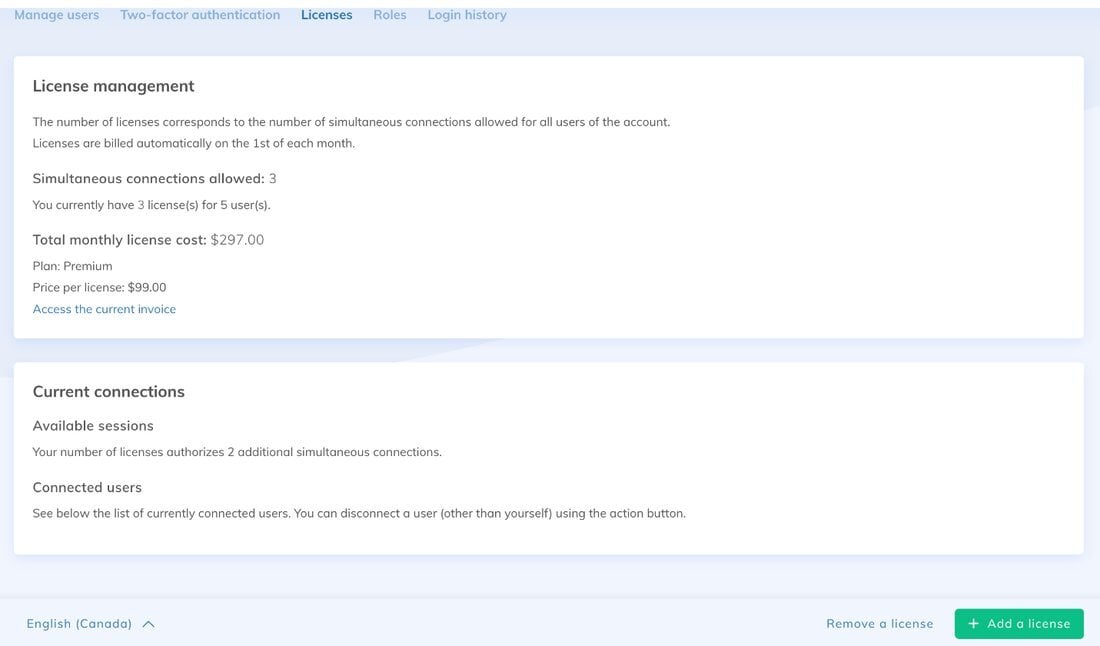
Go to Settings > Users and licenses, then click the Licenses tab. The License management section shows:
- the number of simultaneous connections allowed and the number of users on the account;
- the total monthly license cost, your plan and the price per license;
- the Access the current invoice link.
The Current connections section shows the number of connections still available and the list of connected users.
Add a license
- In the Licenses tab, click Add a license.
- In the Adding licenses window, enter the Number of licenses to add. The window shows the amount to be paid immediately and the amount that will be added to your monthly billing.
- Click Purchase.
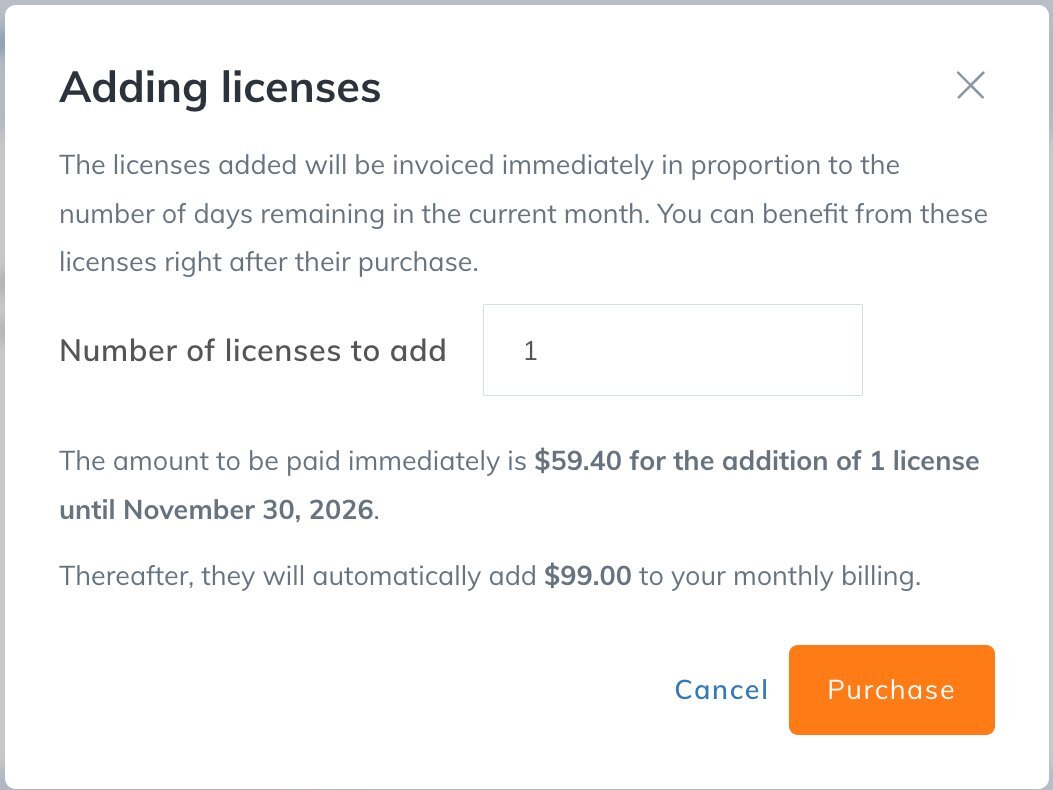
Added licenses can be used as soon as they are purchased. They are invoiced immediately, in proportion to the number of days remaining in the current month, then added automatically to your monthly billing.
Remove a license
- In the Licenses tab, click Remove a license.
- In the Remove licenses window, enter the Number of licenses to remove, then click Remove.
The removal takes effect immediately.
Your licenses remain valid until the end of the current month: a license removed before then is lost. Licenses are billed automatically on the 1st of each month, based on the number of licenses on that date. Remove the licenses you no longer need at the end of the month, before the 1st, to use them until the end without paying for them the following month.