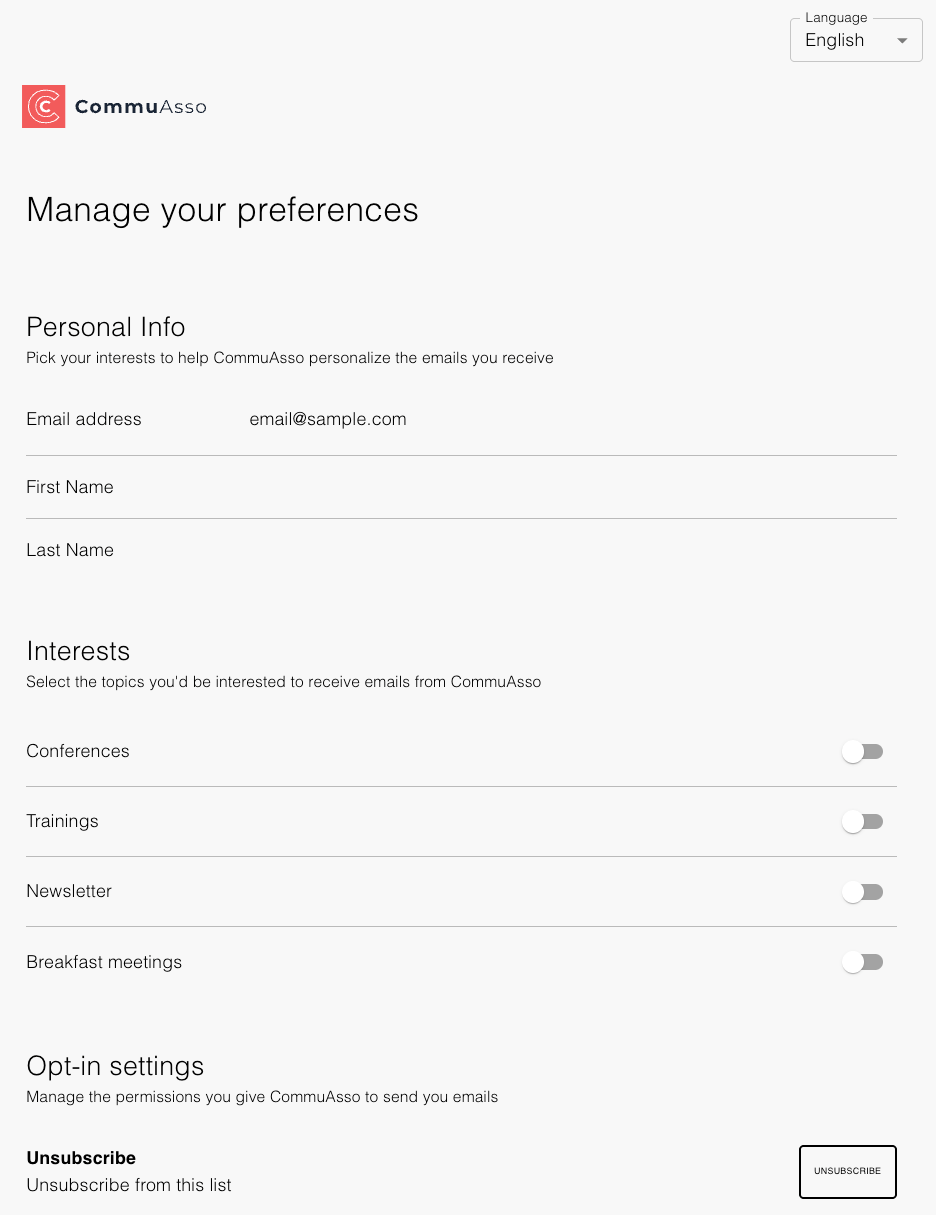
A preference centre is a tool that lets your subscribers select the types of content they want to receive from you. The preference centre benefits your email marketing campaigns by letting contacts confirm their preferences. This means they can adjust the content they want to receive, which increases engagement and reduces the likelihood of unsubscribes.
It can also help you better understand your subscribers' interests and preferences. It also creates a personalized, relevant experience that helps strengthen relationships with subscribers and increase brand loyalty.
How to set up your subscriber preference centre
In Yapla Newsletters, go to Audience > Contacts.
- In the left-hand column, select your contact list.
- Click the gear icon in the top right of the contact list. The Manage lists and attributes page opens.
- Click the Interests tab to manage your subscribers' interests.
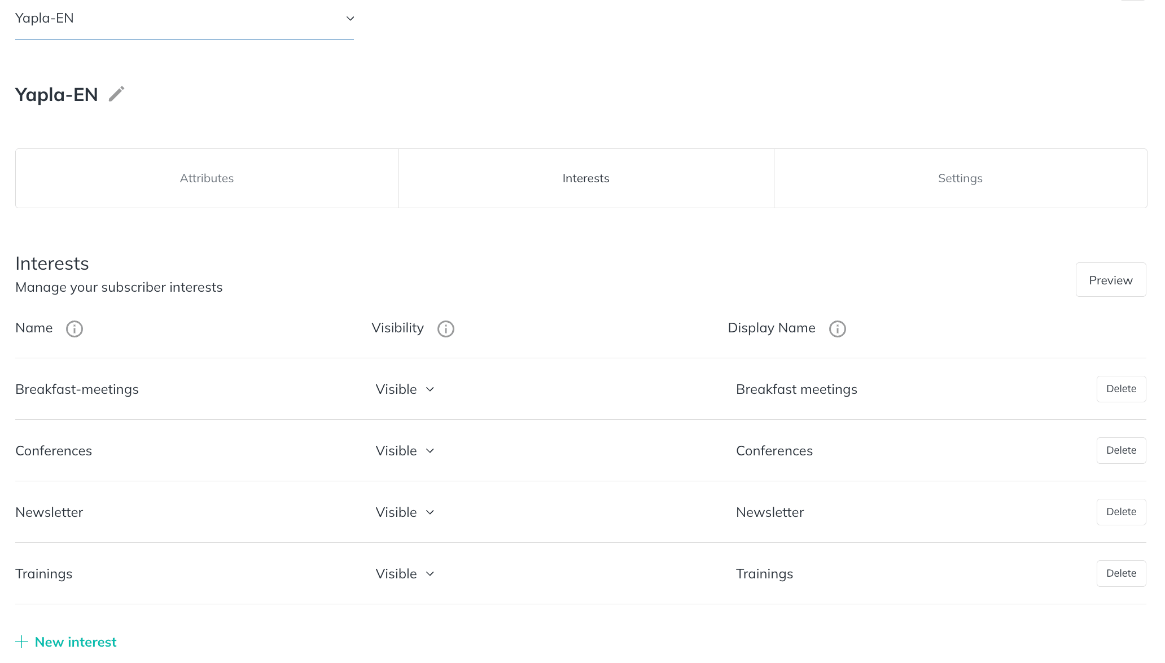
- Click New interest to add an interest.
- Enter the name of your interest, for example Sports, then click Save.
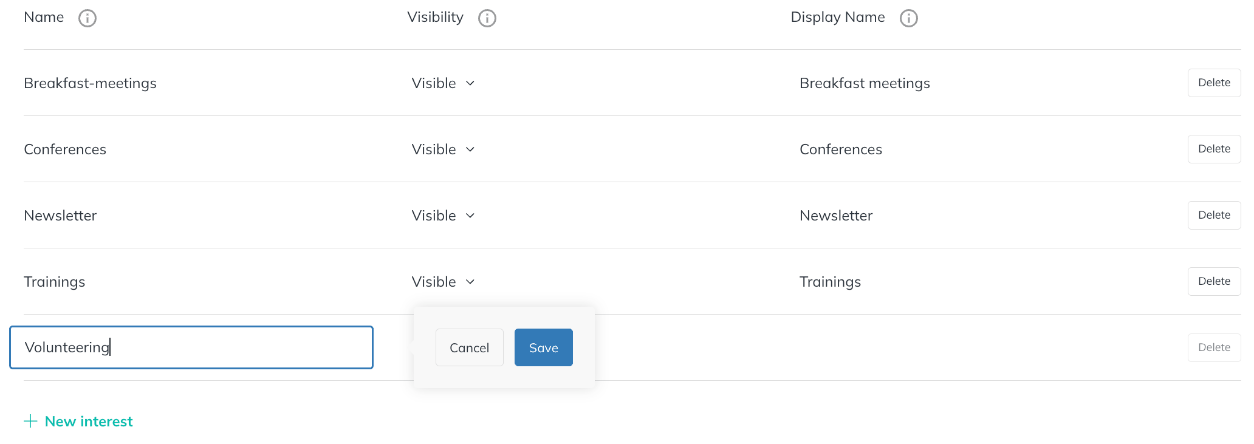
- Make sure the visibility is set to Visible. The Display Name column shows the name your subscribers will see in the preference centre.
Private interests, on the other hand, can help you create targeted campaigns for specific groups of people. However, the person receiving the campaign will not be aware of these interests and will not be able to change their preferences based on them. The sender can still use them to make their marketing efforts more effective.
- Depending on your campaign strategies and content, you can add more interests.
- Click Preview to see what your preference centre looks like. You can see its appearance in the preview and customize it under Settings > Brand Kit.
- Click the unsubscribe link in a campaign to test the newly added interests.

- You can also change the text of this link to share it with your contacts and let them manage their subscription preferences.

- The contact can switch between these interests when they click the link.